Online File Conversion Privacy: What to Look For
How to tell if an online file converter is actually private. Red flags, browser-based processing, and a privacy checklist for personal documents.
May 15, 2026 · 6 min read · Guides & Tips
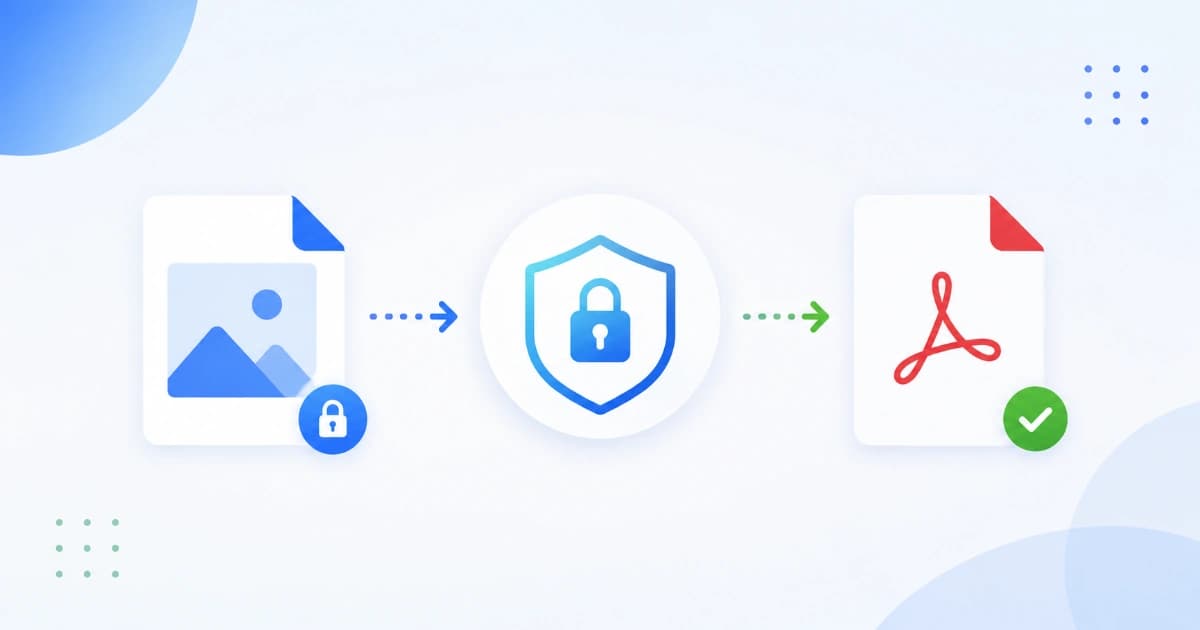
Uploading a personal document to a random "free PDF converter" is one of the most common quiet privacy mistakes. Even when the site looks polished, the file might be stored, scanned, or shared. This guide explains what privacy-first online file conversion actually means, the red flags to watch for, and how Convert Freely handles your files.
The two ways online file conversion works
There are exactly two architectures for online file tools:
1. Server-based (your file leaves your device)
You upload the file. It travels over the internet to the operator's server. The server runs the conversion. You download the result. The file may be deleted immediately - or stored for hours, days, or indefinitely.
- Pros: can use CPU-heavy server software (e.g. OCR, complex codecs).
- Cons: the operator now has your file. Whether they delete it, log it, or share it depends entirely on their policy.
2. Browser-based (your file stays on your device)
The site loads a JavaScript or WebAssembly library that runs the conversion in your browser. The file never leaves your device - you can verify this in DevTools.
- Pros: strong privacy by default. Fast for most tasks. Works offline once loaded.
- Cons: your device CPU does the work (rarely an issue for files under a few hundred MB).
Convert Freely is browser-based for every tool. That's not just a marketing claim - open DevTools and watch the network tab while you convert. Nothing uploads.
Red flags when choosing a converter
- Vague privacy policy - "We may use your data to improve our service" with no specifics.
- Required account for basic tasks - converting a PDF doesn't need your email.
- Unclear data retention - does the file get deleted after 1 hour? 24 hours? Ever?
- No mention of where files are processed - server location and operator unclear.
- Asking for unrelated permissions - a PDF tool that wants access to your Google Drive contents.
- Pop-ups, intrusive ads, malware-style banners - usually correlates with weak data hygiene.
- No HTTPS - there are no excuses for HTTP in 2026.
How Convert Freely handles your files
Our principle is simple: your files stay on your device. Specifically:
- All processing is browser-based. JPG to PNG, HEIC to JPG, merge PDF, compress PDF - every tool runs in your browser via JavaScript or WebAssembly.
- Nothing is uploaded for the conversion itself. You can confirm this by opening DevTools → Network → no upload requests fire.
- We don't store conversion data. There's no storage to leak, sell, or breach. We literally never see your file.
- No signup, no account, no email. None of that is required to use a free file converter.
- No usage analytics inside the tool flow. We use privacy-friendly analytics for the public pages, never the conversion itself.
Read our full Privacy Policy for the details.
Browser-based vs server-based - quick comparison
| Aspect | Browser-based | Server-based |
|---|---|---|
| Where the file lives | On your device | On the operator's server |
| Privacy | Strong by default | Depends on policy |
| Speed for small files | Fast | Network + queue overhead |
| Speed for huge files | Limited by your device | Server can be faster |
| Works offline | Yes (after first load) | No |
| Software compatibility | Modern browsers | Any client |
| Trust required | None - files don't leave | Full trust in the operator |
For 95% of everyday tasks (image conversion, small PDFs, JSON formatting), browser-based wins on privacy without giving anything up.
Privacy checklist before you convert a personal file
Before uploading any sensitive document to any online tool, do this 30-second audit:
- Find the privacy policy. It should be linked from the footer.
- Search the policy for "retention" or "delete". Look for a specific timeframe.
- Check if processing is local. Open DevTools → Network. Upload a small test file. Are bytes leaving your machine?
- Look for a contact address. Reputable operators publish a real email or address.
- Check the URL. HTTPS is the minimum. A subdomain with a sketchy redirect is a red flag.
If any of these fail, find a different tool - especially for IDs, financial documents, medical records, or contracts.
When server-based makes sense (carefully)
Some tasks genuinely require server-side processing:
- OCR on very large multi-page scans.
- Video transcoding (browser CPUs can't keep up).
- Old format support (rare codecs, legacy office formats).
For these, use a tool with:
- A clear deletion policy (e.g. "deleted within 1 hour").
- A company you've heard of and trust.
- A paid plan if you do this regularly - paid usually correlates with better data hygiene.
Avoid free server-side tools for anything you wouldn't email to a stranger.
Best practices for personal documents
- Never use a public computer for sensitive conversions. Browser caches and disk write-back can leave artefacts.
- Strip EXIF/metadata from photos before sharing publicly - use Image Compressor's "Strip metadata" option.
- Clear downloads after the task is done. Sensitive files shouldn't sit in
~/Downloads. - Use a password manager for cloud-stored files. If you must share, use a Drive/OneDrive link with explicit expiry.
- Two-factor everything that hosts your file archive.
Privacy-first alternatives by task
| Task | Privacy-first tool |
|---|---|
| Image format conversion | Image Converter |
| HEIC from iPhone | HEIC to JPG |
| Image compression | Image Compressor |
| Merge PDFs | Merge PDF |
| Compress PDFs | Compress PDF |
| Photos → PDF | Image to PDF |
| JSON formatting | JSON Formatter |
| Base64 encode/decode | Base64 Encode / Decode |
All of these run in your browser. None upload your file. None require an account.
Conclusion
Online file conversion doesn't have to mean sending personal documents to strangers. Choose browser-based tools with clear policies and verifiable behaviour. Convert Freely is built around that principle - every tool runs in your browser, your files stay on your device. Browse All Tools and try any of them risk-free.
Related reading: Why browser-based tools are faster and safer.
Frequently asked questions
- Are online file converters safe to use?
- Some are, some aren't. The safest run conversion entirely in your browser via JavaScript or WebAssembly - your file never reaches a server. Server-based converters depend on the operator's policies; check what data they store and for how long.
- How do I know if a tool uploads my file?
- Open your browser's DevTools (F12) → Network tab → upload your file. If you see a request with the file in the payload, it was uploaded. If only static assets load, conversion is happening locally.
- What's the risk of uploading a file to an unknown converter?
- Three main risks: the file may be stored longer than promised, the operator may share or sell the data, and the file may leak if the operator is breached. Sensitive documents - IDs, contracts, medical, financial - should never be uploaded to a service you don't trust.
- Why are 'free' online tools sometimes worse for privacy?
- If the product is free and the company has servers and engineers to pay for, ads or data are usually the revenue source. Some free converters use uploaded files to train models or share with advertisers. Browser-based free tools (like Convert Freely) avoid this because there's no server cost to recoup.
- Are HTTPS converters automatically private?
- No. HTTPS only protects the file in transit. Once it reaches the server, the operator can do anything with it. Privacy depends on the operator's policy, not the green padlock.