Minify or Beautify HTML, CSS & JS: A Practical Guide
When to minify vs beautify, how much you'll save, and the right way to ship production-ready HTML, CSS, and JavaScript. Free tools included.
May 12, 2026 · 6 min read · Developer Tools
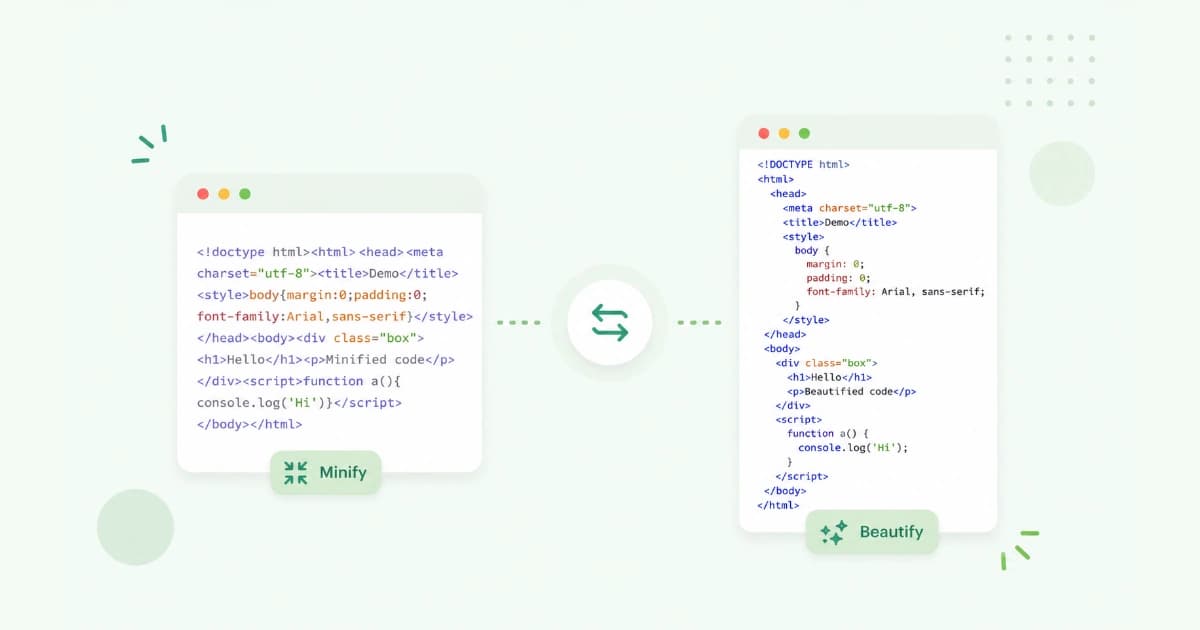
Minified code is one of those things every developer ships every day, often without thinking about it. This guide cuts through the noise: when to minify, when to beautify, what actually changes, and how much smaller your bundles get. When you need a quick one-off minify or beautify, our HTML Minifier, CSS Minifier, and JavaScript Minifier work in the browser.
Minify or beautify - which do you need?
| You want to… | Use |
|---|---|
| Ship smaller production assets | Minify |
Read a vendor's .min.js | Beautify |
| Debug a stack trace from minified code | Source maps |
| Make code reviewable | Beautify |
| Strip comments from a snippet to share | Minify |
What minification actually does
Three operations, in order of how much they shrink your code:
- Strip whitespace - newlines, indentation, padding spaces.
- Strip comments -
// ...,/* ... */, HTML comments. - Shorten identifiers (JS only, optional) -
myLongFunctionNamebecomest.
Plus minor wins:
- Removing optional semicolons / quotes where allowed.
- Replacing
truewith!0,falsewith!1,undefinedwithvoid 0. - Folding constants (
2 + 2→4). - Dead-code elimination (
if (false) { ... }→ removed).
Typical savings
Real numbers from production builds we've seen:
| File type | Source size | Minified | Min + gzip |
|---|---|---|---|
| Bootstrap CSS | 188 KB | 159 KB | 23 KB |
| jQuery JS | 282 KB | 87 KB | 30 KB |
| React + ReactDOM | 1.0 MB | 110 KB | 35 KB |
| Custom CSS (50 components) | 120 KB | 75 KB | 14 KB |
| Marketing site HTML | 22 KB | 19 KB | 7 KB |
Two things to notice:
- JavaScript wins the most from minification, because variable mangling alone strips a lot of bytes.
- gzip on top is the bigger lever for CSS and HTML - minify still helps, but gzip does the heavy lifting.
That's why most CDNs and servers gzip (or Brotli) automatically.
How to minify in the browser
For quick one-offs without a build pipeline:
- HTML - paste into HTML Minifier, click Minify, copy.
- CSS - paste into CSS Minifier, click Minify, copy.
- JavaScript - paste into JavaScript Minifier, click Minify, copy.
All three run entirely in your browser. Useful for blog snippets, email templates, or small library files.
For an entire project, use a real bundler (Webpack, Vite, esbuild, Rollup, Parcel). They minify, generate source maps, and split code automatically.
How to beautify (un-minify)
When you land on a .min.js or someone pasted single-line CSS into a ticket:
- Paste the code into the matching minifier tool - every one has a Beautify mode.
- Click Beautify.
- Copy the readable result.
Beautifying doesn't recover original variable names - those are gone. But the indentation and structure come back, which is usually enough to understand the code.
HTML minification specifics
HTML minifiers can do more than strip whitespace:
- Remove HTML comments (
<!-- ... -->). - Collapse boolean attributes (
disabled="disabled"→disabled). - Lowercase tag names.
- Remove optional closing tags (
</li>,</p>).
Be careful with whitespace inside <pre> and <code> - minifiers should preserve those. Almost all do, but check if your code blocks look weird in production.
CSS minification specifics
CSS minification is usually safe and very effective:
- Strips comments.
- Collapses repeated
0px→0. - Combines
margin-top: 5px; margin-bottom: 5pxintomargin: 5px 0. - Removes duplicate rules.
- Shortens colours (
#ffffff→#fff).
For really big savings, run PurgeCSS or Tailwind's content purging to remove unused selectors. That's outside our minifier's scope but often the biggest CSS optimisation you can do.
JavaScript minification specifics
Modern JS minifiers (Terser, esbuild) do a lot:
- Mangle variable names -
function checkUser(user, role)→function t(e,n). - Dead-code elimination - remove code paths the bundler proves are unreachable.
- Tree-shaking - drop unused exports from imported modules.
- Inline small functions - eliminate call overhead.
Two gotchas:
name-dependent code - libraries that introspect function names (Function.prototype.name) can break after mangling. Modern frameworks rarely do this.- Globals - minifiers won't rename
window.gtag, but they might renamegtagif you assign it locally. Be careful with implicit globals.
Always test minified bundles in a staging build before promoting to production.
Source maps - minify without losing debuggability
When you minify, you lose readable stack traces. Source maps fix this by mapping minified positions back to source code. Every modern bundler emits them.
In production:
- Public source maps make debugging easy but expose your source to the world.
- Private source maps (
hidden-source-mapin Webpack) ship.mapfiles only to your error tracker (Sentry, Rollbar). Users can't read your source.
Most teams use the second option.
Common mistakes
- Minifying source instead of build output. Commit source. Let the bundler minify.
- Forgetting source maps. Production errors become unreadable without them.
- Minifying then editing. Always edit the source, re-minify on save.
- No gzip. Always serve minified assets with gzip or Brotli - the combined savings are massive.
- Minifying inline
<script>in HTML. This usually breaks things because the JS minifier doesn't understand the HTML context. Let your HTML minifier handle the wrapper, and minify the JS separately.
When NOT to minify
- Small inline scripts -
<script>console.log('debug')</script>doesn't need minifying. - Educational code - readers should be able to read it.
- Libraries you share for editing - ship source, let users minify if they want.
- Service worker scripts during development - debugging is a nightmare without readable code.
Conclusion
For production sites, minify HTML, CSS, and JS - it shaves real bytes off every page load. For one-off snippets, use HTML Minifier, CSS Minifier, and JavaScript Minifier in your browser. For everything else, let your bundler do the work and ship source maps. Browse all our Developer Tools for more day-to-day utilities.
Frequently asked questions
- Does minifying HTML, CSS, or JS break anything?
- Standard minification is safe - it only removes whitespace, comments, and unused characters. Aggressive minification (renaming variables, mangling) can break code if it touches global names that you didn't expect. Always test the minified bundle in staging before shipping.
- How much smaller does minified code get?
- HTML: 5-15%. CSS: 20-40%. JS: 30-60%. With gzip compression on top, the served size shrinks even more. The biggest savings come from comment-heavy or generously formatted source files.
- Should I commit minified files to Git?
- Generally no. Commit the source. Run minification at build time (Webpack, Vite, esbuild, etc.) and serve the output. The exception is when you ship a library that's distributed as a single file and you want a `.min.js` next to the source.
- What's the difference between minify and uglify?
- Minify just removes whitespace and comments. Uglify (or 'mangle') also renames variables, removes dead code, and inlines short functions. UglifyJS popularised the term; modern equivalents like Terser and esbuild do similar things automatically.
- Can I un-minify code to read it?
- Yes - paste it into a beautifier and you'll get readable indentation back. Variable names that were mangled stay short (like `t`, `e`, `n`), but the structure becomes clear. Useful when debugging third-party scripts.