Base64 Encoding Explained for Developers (with Examples)
What Base64 is, why it exists, when to use it, common pitfalls - plus a free Base64 encode/decode tool for data URIs, JWTs, and debugging.
May 24, 2026 · 5 min read · Developer Tools
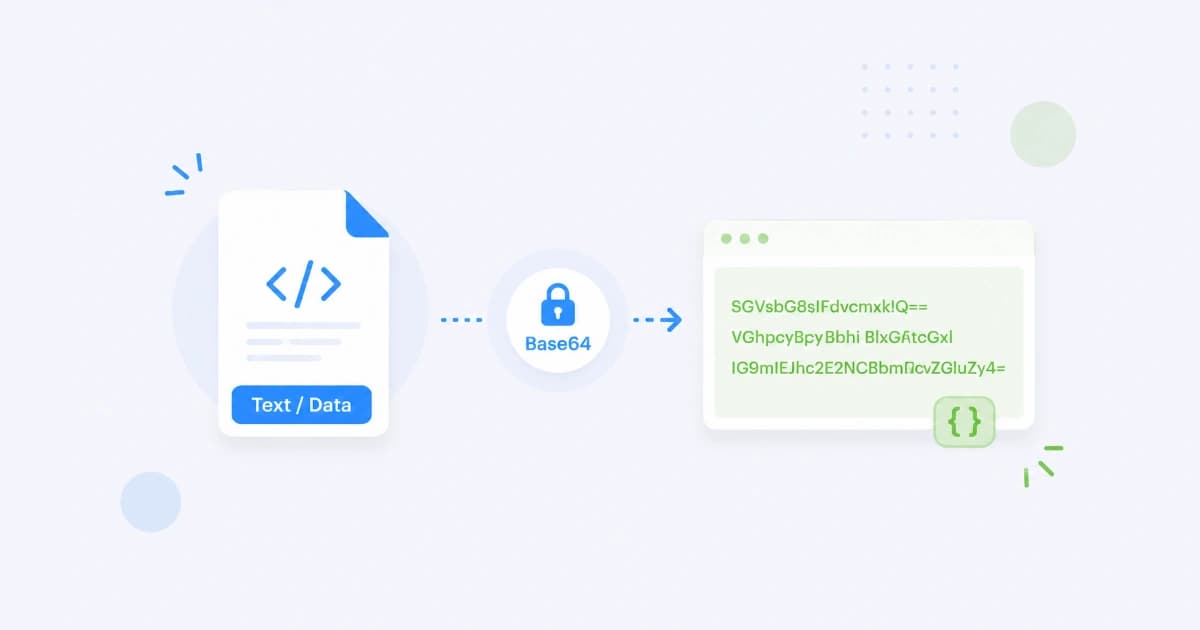
If you've stared at a long string of eyJhbGciOi... in a JWT, embedded an image as data:image/png;base64,..., or had a JSON API return a binary file as text, you've used Base64. This guide explains how Base64 works, when it actually helps, and the pitfalls that bite developers most often. When you just need to encode or decode a value, jump to our free Base64 Encode / Decode.
What Base64 actually is
Base64 is an encoding scheme - it converts arbitrary binary data into ASCII text that's safe to drop into JSON, URLs, XML attributes, email bodies, and other "text-only" places.
- Input: any bytes (image, JSON, executable, anything).
- Output: characters from a 64-symbol alphabet (
A-Z,a-z,0-9,+,/) plus=for padding. - Reversible: given the Base64 string, you can recover the exact original bytes.
- Not encrypted: anyone can decode it. It's encoding, not security.
The mental model
Take 3 bytes (24 bits). Split them into 4 groups of 6 bits. Map each group to one of 64 characters. Result: 4 ASCII characters for every 3 bytes of binary. That's why Base64 produces output ~33% larger than the input.
Bytes:    M       a       n
ASCII:    77      97      110
Binary:   01001101 01100001 01101110
Regroup:  010011 010110 000101 101110
Index:    19     22     5      46
Base64:   T      W      F      u

"Man" → "TWFu"
When to use Base64
Base64 has a narrow set of legitimate uses. If your situation isn't on this list, look for a different approach.
1. Transmitting binary in a text-only channel
JSON, XML, SMTP, OAuth tokens - these can't carry raw bytes safely. Encoding to Base64 makes the data survive transport.
{
  "filename": "scan.pdf",
  "contents": "JVBERi0xLjcKJeLjz9MK..."
}
2. Data URIs (tiny embedded images)
For images under ~5 KB, embedding can be cheaper than an extra HTTP request:
<img src="data:image/png;base64,iVBORw0KGgoAAAANS...">
For anything larger, stick to a normal <img src="…">.
3. Tokens (JWT, OAuth, cookies)
JWTs are three Base64URL-encoded parts joined by .:
eyJhbGciOiJIUzI1NiJ9.eyJzdWIiOiIxMjM0In0.SflKxw...
Each segment decodes to JSON or a signature. The Base64URL variant is essential here - see below.
4. Embedding small binary fixtures in source code
Test fixtures, default certificates, tiny inline assets in scripts. Use Base64 when you can't ship a separate file.
Standard Base64 vs Base64URL
There are two alphabets:
| Variant | Alphabet | Padding | Used in |
|---|---|---|---|
| Standard Base64 | A-Z a-z 0-9 + / | = (required) | Email, JSON, generic text |
| Base64URL | A-Z a-z 0-9 - _ | usually omitted | JWTs, OAuth, URL parameters |
The two characters that differ - + and / - happen to be meaningful in URLs (+ is space, / is path separator). Base64URL swaps them for - and _ so the encoded string is safe in a URL without further percent-encoding.
Rule of thumb: if your encoded string ends up in a URL, query string, or filename, use Base64URL.
Common pitfalls (in production)
1. Line breaks
Some Base64 encoders insert a newline every 76 characters (legacy MIME behaviour). Some decoders accept it, some don't. If you're round-tripping through different languages, strip whitespace before decoding:
const clean = base64String.replace(/\s/g, '');
2. UTF-8 vs Latin-1
Base64 encodes bytes, not characters. If you encode a string with multi-byte characters (emoji, Chinese, accented letters), you need to first encode the string to UTF-8 bytes, then Base64-encode those bytes.
btoa("héllo")                          // throws InvalidCharacterError
btoa(unescape(encodeURIComponent("héllo")))  // works
In modern code, use TextEncoder + a Base64 helper.
3. Padding
Standard Base64 pads to multiples of 4 characters with =. Some tools strip the padding. Most decoders re-add it implicitly, but some strict parsers fail. If decoding fails, try padding the input to a multiple of 4 with =.
4. Treating Base64 as security
Base64 is trivially reversible. Anyone with the encoded string can decode it. Don't store passwords, API keys, or PII as Base64 thinking it's hidden. Use real encryption (AES, libsodium) for secrets.
5. Size overhead
Base64 inflates data by ~33%. For a 10 KB binary, that's 13.3 KB of text. Multiply by every request and the bandwidth cost adds up. Use direct binary uploads (multipart, gRPC, WebSocket binary frames) where you can.
Encode and decode in the browser (free)
For one-off encoding or decoding, use Base64 Encode / Decode:
- Paste text or upload a small file.
- Choose Encode or Decode.
- Pick Standard or Base64URL if needed.
- Copy the output.
Everything runs in your browser - useful when the input has secrets or personal data you don't want to send to an unknown service.
For URL-only encoding (which is different from Base64URL), use URL Encode / Decode.
Code snippets
JavaScript (browser & modern Node)
// String → Base64
const encoded = btoa(unescape(encodeURIComponent("héllo")));

// Base64 → String
const decoded = decodeURIComponent(escape(atob(encoded)));

// Bytes → Base64 (modern)
const bytes = new TextEncoder().encode("héllo");
const base64 = btoa(String.fromCharCode(...bytes));

// Base64URL conversion
const toBase64Url = (b64) =>
  b64.replace(/\+/g, '-').replace(/\//g, '_').replace(/=+$/, '');
Python
import base64

base64.b64encode(b"hello")         # b'aGVsbG8='
base64.b64decode("aGVsbG8=")       # b'hello'

# URL-safe variants
base64.urlsafe_b64encode(b"hello") # b'aGVsbG8='
Shell
echo -n "hello" | base64           # aGVsbG8=
echo "aGVsbG8=" | base64 -d        # hello
When NOT to use Base64
- Storing files in a database. Use a blob column or, better, object storage with a URL.
- Securing data. Use encryption.
- Saving network bytes. Binary uploads are 25% smaller and usually faster.
- JSON file uploads via HTTP. Use
multipart/form-datainstead.
Conclusion
Base64 is a quiet workhorse - old, simple, and absolutely everywhere. Reach for it when you need binary data to survive a text-only channel, and reach for Base64URL when that channel is a URL. For ad-hoc encoding or decoding, Base64 Encode / Decode is one click away. Browse the Developer Tools hub for related utilities.
Frequently asked questions
- Is Base64 encryption?
- No. Base64 is a reversible encoding - anyone with the encoded string can decode it instantly. Never use Base64 alone to protect passwords, API keys, or any other secret.
- Why does Base64 increase file size by ~33%?
- Base64 uses 4 ASCII characters to represent every 3 bytes of binary data. That's 6 bits of information packed into 8 bits per character, which produces the ~33% overhead. Plus padding (=) can add 1-2 extra characters.
- What's the difference between Base64 and base64url?
- Standard Base64 uses + and / characters, which have meaning in URLs and filenames. base64url replaces + with - and / with _, and usually omits padding. Used in JWTs and OAuth tokens.
- When should I embed images as Base64 data URIs?
- Only for very small images (under 5-10 KB) that you can't host elsewhere - e.g. a chat avatar in an email, a tiny SVG in a config file. Larger images are better as separate HTTP requests so the browser can cache them.
- Can I decode Base64 manually?
- Yes, but it's painful. Each character maps to 6 bits using the Base64 alphabet (A-Z, a-z, 0-9, +, /). Easier to use a tool - paste any Base64 string into Convert Freely's Base64 Encode/Decode and you'll see the decoded text instantly.