How to Rename Multiple Files at Once (Bulk Rename Guide)
Rename hundreds of files in seconds - add prefixes, sequential numbers, dates, or replace text patterns. Free bulk rename tool, no install.
May 11, 2026 · 5 min read · Guides & Tips
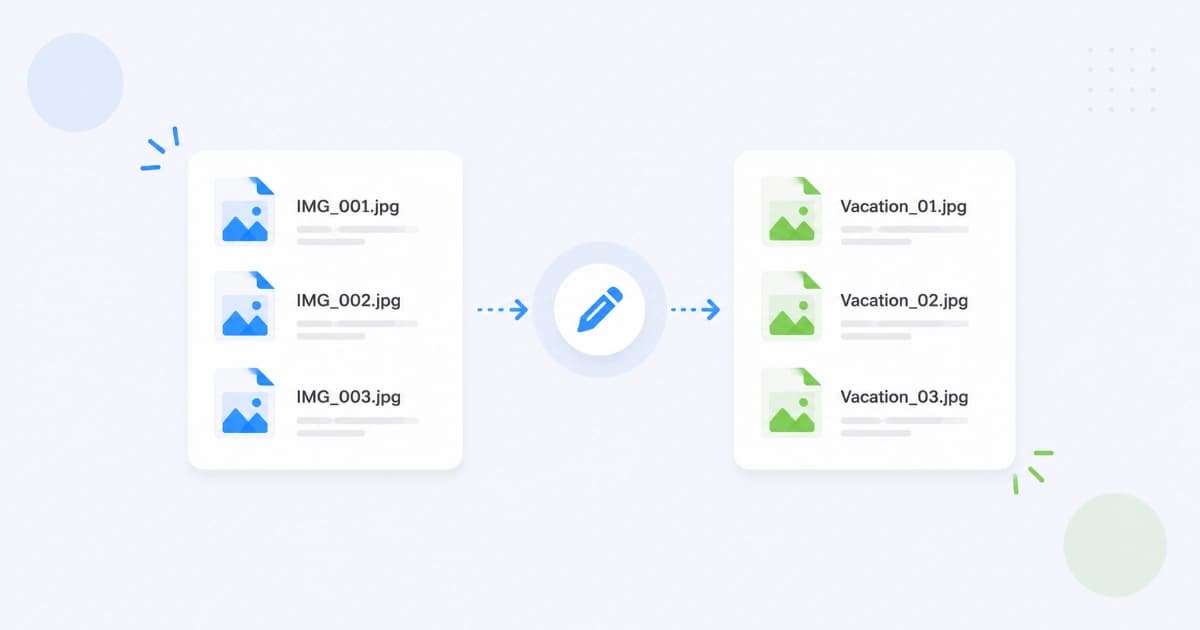
Renaming IMG_3456.jpg, IMG_3457.jpg, IMG_3458.jpg… one at a time is the kind of task that eats hours. The right tool does it in seconds. This guide shows how to rename multiple files at once with Bulk File Rename - patterns, sequential numbers, dates, find-and-replace, and the common pitfalls.
Quick start (3 steps)
- Open Bulk File Rename.
- Drop your files (any type - images, PDFs, videos, anything).
- Set a pattern, preview, and download the renamed copies as a ZIP.
The original files on your disk are not modified. You get a ZIP of renamed copies and can delete the originals when you're ready.
Pattern building blocks
Combine these placeholders to build any naming scheme:
| Placeholder | Result | Use case |
|---|---|---|
{name} | Original filename (no extension) | Keep + add prefix |
{ext} | Original extension (.jpg, .pdf) | Always include this |
{#} | Sequential number, no padding | 1, 2, 3, … |
{##} | Two-digit padded | 01, 02, …, 99 |
{###} | Three-digit padded | 001, 002, … |
{YYYY-MM-DD} | File's modified date | 2026-05-26 |
{YYYY} | Year | 2026 |
{prefix} | Custom text you set | product- |
Example patterns
| Pattern | Result |
|---|---|
product-{###}{ext} | product-001.jpg, product-002.jpg, … |
{prefix}-{YYYY-MM-DD}-{##}{ext} | vacation-2026-05-26-01.jpg |
{name}-edited{ext} | IMG_3456-edited.jpg |
client-acme-{##}{ext} | client-acme-01.pdf, client-acme-02.pdf |
report-{YYYY}-final{ext} | report-2026-final.pdf |
The live preview shows you what each file will be named before you commit.
Common scenarios
Photographer / designer - sequential numbering
Your camera saved 200 shots as DSC_1284.jpg through DSC_1483.jpg. The client wants them numbered 001 onward for their gallery.
- Open Bulk File Rename.
- Drop all 200 photos.
- Pattern:
{prefix}-{###}{ext}, prefix:vendor-summer-2026. - Preview → download ZIP.
You get vendor-summer-2026-001.jpg through vendor-summer-2026-200.jpg. Perfect alphabetical sort.
Bookkeeper - receipts by date
You took 30 receipt photos last month. They're saved as IMG_xxxx.heic. You want them as receipt-2026-05-DD-NN.jpg for filing.
- Convert HEIC to JPG first with HEIC to JPG.
- Open Bulk File Rename.
- Pattern:
receipt-{YYYY-MM-DD}-{##}{ext}. - Download → import into accounting.
Recruiter - anonymise candidate files
You received 40 CVs, each named JohnSmith-CV.pdf, JaneDoe-CV.pdf… You want to anonymise them for blind review.
- Drop all CVs into Bulk File Rename.
- Pattern:
candidate-{##}{ext}. - Download → upload to the review system.
Keep the original-to-anonymised mapping somewhere safe for tracking.
Developer - sort files for processing
You have 50 SQL files (migration_2026_05_18_create_users.sql, etc.) that need to be processed in a specific order.
- Drop into Bulk File Rename.
- Pattern:
{##}-{name}{ext}. - Download → ready for
cat *.sql | psql.
Marketing - rename assets by campaign
You have 80 social media assets with random Figma-export names. Standardise:
- Drop into Bulk File Rename.
- Pattern:
2026-q2-summer-{###}{ext}. - Download → upload to scheduling tool.
Find-and-replace patterns
Beyond pure templating, sometimes you just need to replace part of every filename:
- Replace spaces with hyphens:
My File.pdf→My-File.pdf. - Remove a prefix:
Copy of Untitled-1.png→Untitled-1.png. - Change a date format:
2026_05_26.jpg→2026-05-26.jpg.
Bulk File Rename has a find-and-replace section underneath the pattern builder. Enter a "Find" string and "Replace with" - applies to every selected file before the pattern is applied.
Pitfalls to avoid
1. Duplicate filenames
If two source files would end up with the same name (e.g. you only used {prefix}{ext} without numbering), the second one would overwrite the first. The tool warns you and refuses to ZIP duplicates - add {#} or {##} to keep names unique.
2. Forgetting {ext}
Without {ext} your files come out without an extension and won't open properly. Always include {ext} (or hardcode .jpg, .pdf, etc.).
3. Mixing file types
If your folder has JPGs and PDFs and you use a generic pattern, both will be renamed identically except for extension. That's usually what you want. If you need separate naming schemes, split into two batches.
4. Overlapping with system files
On macOS and Windows, ignore .DS_Store and Thumbs.db. They're hidden housekeeping files; renaming them does nothing useful. The tool excludes these automatically.
After renaming - typical follow-up steps
- Bulk compress the renamed JPGs with Image Compressor.
- Convert all to WEBP with Image Converter.
- Merge the renamed PDFs with Merge PDF (sorted by filename = sorted in the PDF).
Comparison: ways to bulk rename
| Method | Speed | Cost | Notes |
|---|---|---|---|
| Convert Freely Bulk File Rename (browser) | Fast | Free | Recommended; safe (creates ZIP) |
| macOS Finder "Rename Items" | Fast | Free | Built-in, limited patterns |
| Windows PowerToys | Fast | Free | Install required |
| Bulk Rename Utility (Windows) | Fast | Free | Lots of options, dated UI |
| Adobe Bridge | Fast | Paid | Photographer-grade, expensive |
The browser tool wins for cross-platform use, no install, and never touching the originals.
Privacy
Renaming runs entirely in your browser. The files you drop in are read locally, the new filenames are computed in JavaScript, and the ZIP is built without any network transfer. Sensitive document filenames (legal, HR, financial) never leave your device.
Conclusion
Bulk renaming is the kind of small productivity boost that pays for itself the first time you use it. Bulk File Rename handles thousands of files in seconds, never touches your originals, and runs in your browser. See also Best free tools for students and freelancers for the full toolkit.
Frequently asked questions
- Can I rename files without installing software?
- Yes. Convert Freely's Bulk File Rename tool runs in your browser - drop files in, set a pattern, download the renamed copies as a ZIP. No install, no signup.
- Will the original files be changed?
- No. The tool produces renamed copies in a ZIP. Your originals on disk stay exactly as they were. You can delete them after extracting the new names if you want.
- How does the sequential numbering work?
- Use a placeholder like `{#}`, `{##}`, or `{###}` in your pattern. `{#}` gives 1, 2, 3… and `{###}` pads to 001, 002, 003… for clean sorting. The starting number is configurable.
- Can I rename based on file metadata like date taken or modified?
- Yes for date modified (set by the OS). EXIF date-taken support is on our roadmap. For now, use the date pattern `{YYYY-MM-DD}` which uses the file's modified date.
- Does it work for images, PDFs, and other files?
- Yes. Bulk File Rename works on any file type - images, PDFs, videos, documents, audio. It's renaming the files, not changing the contents.