URL Encoding Explained (Encode & Decode Online Free)
Learn percent-encoding for query strings, OAuth redirects, and APIs. Encode and decode URLs in your browser. Free, no upload.
June 1, 2026 · 3 min read · Developer Tools
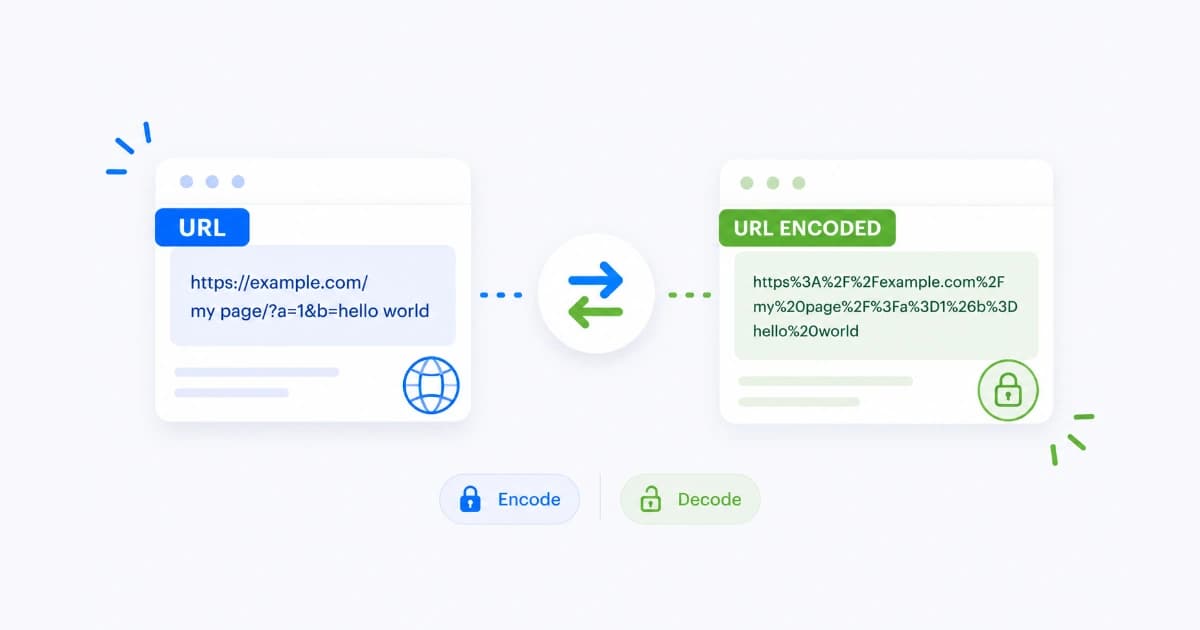
Broken links often come from an unencoded &, a raw space, or a # inside a query value. URL encoding (percent-encoding) fixes that by turning unsafe characters into % plus two hex digits. Our URL Encoder/Decoder lets you encode and decode strings in the browser while building or debugging links.
Which characters need encoding?
In query parameter values, encode:
- Spaces (as
%20or+in form style) &=?#when they are data, not syntax- Non-ASCII letters and emoji
- Slashes if they are part of the value, not the path
Paths and domains follow different rules. When in doubt, encode the parameter value only.
encodeURI vs encodeURIComponent
| Function | Use for | Keeps unencoded |
|---|---|---|
encodeURI | Full URL string | ://, /, ?, & structure |
encodeURIComponent | Single query value | Almost nothing except alphanumerics - _ . ! ~ * ' ( ) |
Example: search query cats & dogs:
https://example.com/search?q=cats%20%26%20dogs
Only the value after q= was encoded with component rules.
Step-by-step: encode a query string
Building https://shop.test/search?q=red shoes&sale=50%:
- Open URL Encoder/Decoder.
- Paste
red shoesinto encode - getred%20shoes. - Paste
50%for sale - percent sign becomes%25so it is not confused with encoding. - Assemble:
?q=red%20shoes&sale=50%25.
Never encode the entire URL after ? as one blob unless you know the parser expects it.
Step-by-step: decode for debugging
OAuth redirect looks wrong:
?error=access_denied&error_description=User%20cancelled%20login
Decode error_description to read User cancelled login. Use decode to inspect, then fix encoding at the source.
Common production bugs
- Double encoding -
%2520means someone encoded%20again. Decode once, encode once. - Raw JSON in query params -
{and}need encoding; prefer POST body instead. - Plus vs space - Server expects
%20but client sent+. - Hash fragments -
#starts the fragment; never put secrets after#in server-visible logs.
URL encoding vs Base64
| URL encoding | Base64 | |
|---|---|---|
| Purpose | Safe text in URLs | Binary in text |
| Size | Larger for non-ASCII | ~33% bigger than binary |
| Human readable | Partly | No |
JWTs use Base64URL (variant). Query params use percent-encoding. See Base64 guide for the other tool.
Security note
Encoding is not hiding. Tokens in URLs end up in browser history, server logs, and Referer headers. Prefer POST + body or headers for secrets.
Try the tool
Encode parameter values before shipping marketing links. Decode when analytics show %20 everywhere and you need readable reports. URL Encoder/Decoder runs locally. More on Developer Tools.
Frequently asked questions
- What is the difference between encodeURI and encodeURIComponent?
- encodeURI is for full URLs and leaves :, /, ?, # intact where allowed. encodeURIComponent encodes almost everything and is for a single query parameter value. Putting a full URL inside encodeURIComponent breaks slashes.
- Why is my space a plus sign (+) in URLs?
- HTML form encoding uses + for spaces in application/x-www-form-urlencoded bodies. In query strings, %20 is also valid. APIs may expect one style; check their docs.
- When should I decode a URL?
- When debugging redirects, reading analytics parameters, or inspecting OAuth callbacks. Do not decode untrusted input before validation; decode for display, then validate.
- Is URL encoding encryption?
- No. It is a transport-safe format. Anyone can decode percent-encoding instantly. Never treat encoded secrets as hidden.
- Can I encode Unicode characters?
- Yes. Non-ASCII characters become UTF-8 bytes, each shown as %XX sequences (e.g. café becomes multiple percent bytes).