JPG vs PNG vs WEBP: Which Image Format to Use (2026)
JPG vs PNG vs WEBP compared by file size, quality, transparency, and browser support. A simple decision guide with conversion tools.
May 22, 2026 · 6 min read · Image Tools
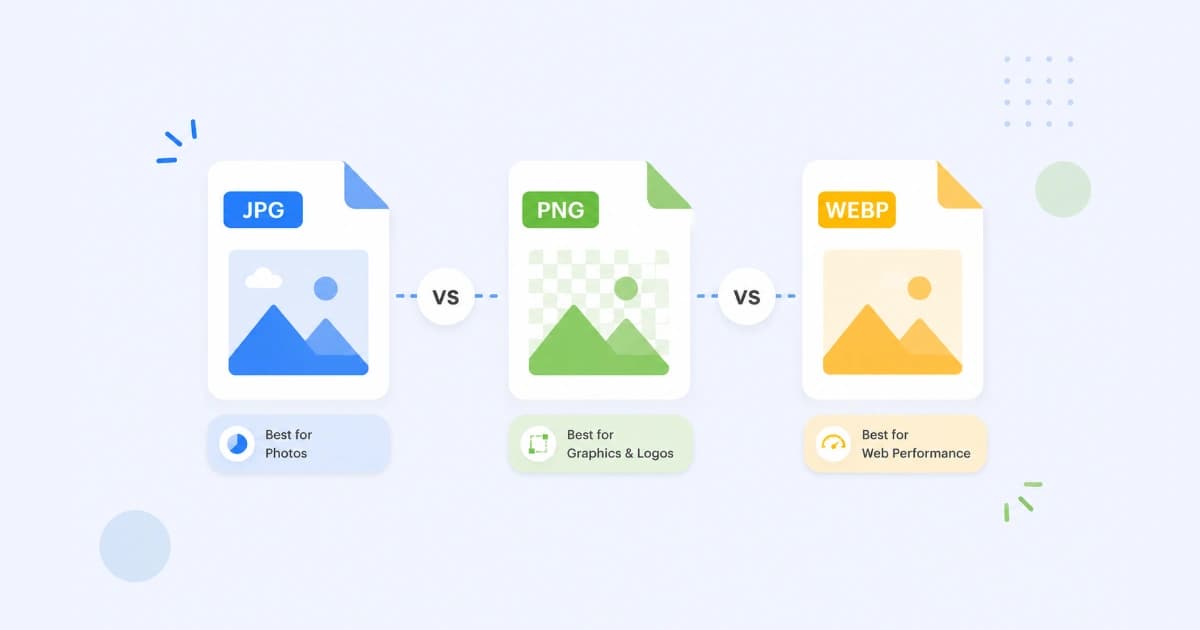
Picking the right image format isn't trendy advice - it directly affects how fast your pages load, how good your photos look, and whether your logos keep their transparent edges. This guide compares JPG vs PNG vs WEBP in plain terms, with a simple decision table at the end. When you need to switch formats, our Image Converter handles all three in your browser.
The 30-second answer
- JPG - photos and complex images. Small files. No transparency.
- PNG - logos, screenshots, UI graphics, and anything with transparency or sharp text.
- WEBP - the modern default for the web. Smaller than both JPG and PNG, supports transparency and animation.
If you only remember one thing: use WEBP for the web, keep PNG/JPG as your source files.
How each format actually works
JPG (JPEG)
JPG uses lossy compression. It discards data your eye barely notices to shrink file size. That works beautifully on photos, where smooth gradients and noise hide compression artefacts. It works badly on flat colour, text, and logos, where artefacts show up as muddy edges.
- Compression: lossy
- Transparency: no
- Animation: no
- Typical use: photos for blogs, social, email
- Quality knob: 0-100 (use 80-85 for the best size/quality balance)
PNG
PNG is lossless - it never throws away pixels. That's why your screenshots stay crisp and your logos keep their hard edges. The downside is file size: a 1920×1080 photo can be 5-10× larger as a PNG than as a JPG.
- Compression: lossless
- Transparency: yes (full alpha channel)
- Animation: no (APNG exists but isn't widely used)
- Typical use: logos, screenshots, UI icons, exports for editing
- Variants: PNG-8 (256 colours, smaller), PNG-24 (full colour)
WEBP
WEBP was built by Google to replace JPG and PNG on the web. It supports both lossy and lossless modes, transparency like PNG, and animation. At the same visual quality, it's typically:
- 25-35% smaller than JPG (lossy)
- 20-30% smaller than PNG (lossless)
That size win is why Google's PageSpeed Insights flags JPG/PNG and recommends WEBP for Core Web Vitals.
- Compression: lossy or lossless
- Transparency: yes
- Animation: yes
- Browser support: every modern browser, including Safari 14.0+
- Typical use: production web images, e-commerce, hero images
Side-by-side comparison
| Feature | JPG | PNG | WEBP |
|---|---|---|---|
| Compression | Lossy | Lossless | Both |
| Transparency | No | Yes | Yes |
| Animation | No | APNG (rare) | Yes |
| File size on photos | Small | Large | Smallest |
| File size on logos | Medium | Small | Smallest |
| Quality knob | Yes (0-100) | No | Yes (lossy mode) |
| Browser support | Universal | Universal | Modern browsers |
| Email clients | Yes | Yes | Inconsistent |
| Use in print | Yes | Yes | Limited |
When to use which (decision table)
| Use case | Best format | Why |
|---|---|---|
| Blog post header photo | WEBP (JPG fallback) | Smaller files = faster page |
| Product photo (e-commerce) | WEBP | Crucial for Core Web Vitals |
| Company logo on white background | PNG or WEBP | Lossless + transparency |
| Logo on dark website background | PNG-24 or WEBP | Alpha channel matters |
| Screenshot for documentation | PNG | Sharp text and UI lines |
| Social media share image | JPG (or WEBP) | Wide platform support |
| Email newsletter image | JPG or PNG | WEBP support is patchy in clients |
| Print collateral | JPG or PNG | Vendor compatibility |
| Animated reaction / loop | WEBP (or GIF) | Smaller and higher quality than GIF |
How to convert between them (free)
Convert Freely runs everything in your browser - files never leave your device.
- JPG → WEBP - use Image Converter, drop your file, pick WEBP, download. Expect ~30% smaller files at quality 80.
- PNG → WEBP - use PNG to WEBP. Choose lossless if you need pixel-perfect output, lossy if size matters more.
- PNG → JPG - use PNG to JPG. Best for photos exported as PNG by mistake.
- JPG → PNG - use JPG to PNG when you need transparency added (you'll have to mask it manually) or to stop further quality loss when editing.
- Batch convert - drop multiple files into Image Converter and pick a single output format.
Common pitfalls
- Saving screenshots as JPG. JPG smears sharp text and UI lines. Stick to PNG or WEBP-lossless.
- Using PNG for hero photos. A 4 MB PNG hero image on the homepage tanks your Lighthouse score. WEBP at quality 80 gives you the same look at 400-600 KB.
- Forgetting
alttext. Every<img>should describe what's in the image. It helps both SEO and screen readers. - Ignoring responsive sizes. Use
srcsetor a<picture>element to serve smaller versions to mobile.
SEO and Core Web Vitals impact
Google's Largest Contentful Paint (LCP) metric is heavily influenced by your hero image. Two quick wins:
- Switch hero images to WEBP - usually a 30-50% size reduction.
- Compress aggressively - try our Image Compressor at "Medium" before publishing.
A 30 KB savings on a hero image often shaves 100-200 ms off LCP on a 4G connection. That's the difference between "Good" and "Needs improvement" for many sites.
Conclusion
There is no single best image format - only the right one for each job. For most modern websites, default to WEBP and keep JPG or PNG as a fallback. For source files and design assets, keep PNG. For photos shared by email or used in print, JPG is still fine.
When you need to switch, try our free Image Converter or browse all our Image Tools. Everything runs locally in your browser - no signup, no uploads.
Frequently asked questions
- Which is better, PNG or WEBP?
- WEBP for the web, PNG for design source files. WEBP gives you the same lossless quality and transparency as PNG at 25-35% smaller file size, but PNG is universally supported by older software and is the safer choice for editing source files.
- Is WEBP supported in all browsers?
- Yes. WEBP is supported by every modern browser including Chrome, Firefox, Safari (14.0+), and Edge. It also works in iOS Safari and Android. A small fraction of users on very old browsers may need a JPG or PNG fallback.
- Why is my JPG file larger than my PNG?
- That usually means the image is a logo, screenshot, or graphic with flat colors. PNG compresses those better. JPG is only smaller for photos and complex images with smooth gradients.
- Does converting JPG to WEBP reduce quality?
- If you choose a lossy WEBP, expect a small additional quality loss because you are recompressing a JPG. Use lossless WEBP if you must preserve every detail, or convert from the original PNG when possible.
- What is the best image format for SEO?
- WEBP - Google explicitly recommends it for faster Core Web Vitals. JPG with quality 80-85 is a strong fallback. Always add descriptive alt text and use responsive image sizes.